MICROSOFT OFFICE
CERTIFICATION CLASSES
PRESENTED BY:
BUILD MY ENGLISH SCHOOL
PREPARE FOR SUCCESS!!!
CONTINUOUS ENROLLMENT

| IntroductionWelcome to our "Live" Online and "Traditional" classroom workshops.
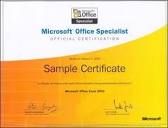
MICROSOFT OFFICE SPECIALIST CERTIFICATION The Microsoft User Specialist (MOS) course is designed to meet the Microsoft Office Specialist certification requirements.
Upon successful completion of the course, participants will be
prepared to pass the “Microsoft Office Certification” test. Participants will receive technical instruction and practical experience in Microsoft Word and Microsoft Excel.
A Microsoft Office Specialist is able to complete the
everyday tasks that arise in a typical office setting. In the Microsoft Word “Specialist” modules, emphasis is placed on working with text, paragraphs, and formatting documents, as well as file management.
In the Microsoft Word “Expert” modules, emphasis is placed on working
with paragraphs and documents, using tables, working with pictures and charts,
using mail merge and advanced features, and collaborating with work groups. In the Microsoft Excel “Specialist” modules, emphasis is placed on formatting cells and worksheets, entering formulas and basic functions, working with multiple worksheets, and creating charts.
In the Microsoft Excel “Expert” modules, emphasis is placed on: Creating Data Tables, Creating an amortization schedule, Printing sections of a worksheet, Protecting cells, Conditional Formatting, Displaying automatic subtotals, Creating 3-D cell references, Consolidate data by linking workbooks, Password protecting a worksheet, Executing Macros, Auditing and analyzing a worksheet, Using Goal Seek, and Pivot Tables.
M.S. WORD CONTENT OBJECTIVES Students Will Be Able To: WORD MODULE ONE OBJECTIVES Start and quit Word Describe the Word window Enter text in a document Check spelling as you type Save a document Format text, and paragraphs Undo and redo commands or actions Insert a picture and format it Print a document Change document properties Open a document Correct errors in a document Use Word’s Help
WORD MODULE TWO OBJECTIVES Change line and paragraph spacing Use a header to number pages Paragraph indentation Set and use tab stops Create and modify styles Insert a manual page break Move text Find and replace text Change Page Orientation Insert a Watermarks Use Spell Check Use Grammar Check Use the Thesaurus Insert Synonyms
WORD MODULE THREE OBJECTIVES Insert and format clip art Identify the components of a memo Create a memo Identify the components of a business letter Create a business letter Insert the current date Use a template to create a document Fill in a document template Use print preview to view and print a document Address and print an envelope
WORD MODULE FOUR OBJECTIVES Insert a Word document into an open document Insert a section break Insert headers and footers Create a Word Table Format a Word table Sum columns in a table Create a chart from a Word table Add picture bullets to a list Draw a table
WORD MODULE FIVE OBJECTIVES Explain the Mail Merge process Use the Mail Merge task pane Use the Mailings tab on the Ribbon Use a Template for a Mail Merge Insert and format a shape on a drawing canvas Create and edit a data source Insert merge fields in a main document Create a multilevel list Use an IF field in a main document Merge and print form letters Sort data records Address and print mailing labels and envelopes Merge all data records to a directory Change page orientation Modify table properties
WORD MODULE SIX OBJECTIVES Border and Shade a Paragraph Create and format WordArt Insert and format a SmartArt graphic Insert a symbol in a document Format a document in multiple columns Format a character as a drop cap Insert a column break Place a vertical rule between columns Insert and format a text box Balance columns Add a page border
WORD MODULE SEVEN OBJECTIVES Insert comments Track changes Review tracked changes Compare documents and combine documents Add and modify a caption Create a cross-reference Use the Building Blocks Organizer Link text boxes Compress pictures Work with a master documents & subdocuments Insert a cover page Create and modify a table of contents Use the Document Map Create a table of figures Build and modify an index
WORD MODULE EIGHT OBJECTIVES Design an online form Change paper size Save a document as a template Insert a borderless table in a form Insert drop-down lists, and combo boxes Insert content controls Edit placeholder text Change properties of content controls Use the Format Painter Modify a theme Protect a document Open a new document based on a template Un-Protect a document
M.S. EXCEL CONTENT OBJECTIVES Students Will Be Able To:
EXCEL MODULE ONE OBJECTIVES Start and quit Excel Describe the Excel worksheet Enter text and numbers Use the Sum button to sum a range of cells Use the Fill Handle to copy the contents of a cell Save a workbook Format cells in a worksheet Create a 3-D Clustered Column chart Change document properties Save a workbook using the same file name Print a worksheet Open a workbook Use the AutoCalculate area to determine statistics Correct errors on a worksheet
EXCEL MODULE TWO OBJECTIVES Create formulas Utilize the order of operations Apply the SUM, MAX, and MIN functions Add worksheets Switch between worksheets Hide/Unhide columns and rows Insert, delete columns and rows Apply cell formatting Apply Number alignment Apply cell Borders and Shading Apply Currency styles Apply a theme to a workbook Change column and row height Check Spelling Preview a Worksheet Print a Worksheet Save a Worksheet
EXCEL MODULE THREE OBJECTIVES Create Pie Charts Rotate text in a cell Create a series Copy, paste, insert, and delete cells Freeze and unfreeze titles Use absolute cell references in a formula Use the IF function to perform a logical test Use the Format Painter button to format cells Change the worksheet view Conditional formatting Print formulas in a worksheet Print with/without gridlines Print area
EXCEL MODULE FOUR OBJECTIVES Format outlines and borders Assign a name to a cell Use assigned cell names in formulas Use the PMT function to calculate loan payments Use the PV (present value) function Use the FV (future value) function Create a data table to analyze data in a worksheet Add a pointer to a data table Create an amortization schedule Use Set Print
Area to print sections of a worksheet Set print options Protect and unprotect cells in a worksheet Use the formula checking features of Excel Hide and unhide cell gridlines, rows, columns Hide sheets, and workbooks
EXCEL MODULE FIVE OBJECTIVES Create and manipulate a table Delete sheets in a workbook Validate data Add calculated columns to a table Use icon sets with conditional formatting Use the VLOOKUP function Print a table Add and delete records Change field values in a table Sort a table on one field or multiple fields Display automatic subtotals Use Group and Outline features to hide data Query a table Apply the SUMIF database function Apply the COUNTIF database function Save a workbook in different file formats
EXCEL MODULE SIX OBJECTIVES Create and use a template Use the ROUND function Utilize custom format codes Define, apply, and remove a style Add a worksheet to a workbook Create formulas that use 3-D cell references Create a Pie Chart Use WordArt to create and modify shapes Add a header or footer Change margins Insert and move a page break Use the Find and Replace commands Consolidate data by linking workbooks
EXCEL MODULE SEVEN OBJECTIVES Use passwords to protect a worksheet Use the macro recorder to create a macro Execute a macro View and print code for a macro Customize the Quick Access Toolbar Create controls, command buttons, and scroll bars Create check boxes, and spin buttons Change control properties
EXCEL MODULE EIGHT OBJECTIVES Audit and analyze a worksheet Trace precedents and dependents Add data validation rules to cells Use Goal Seek to solve a problem Circle invalid data on a worksheet Password-protect a workbook file Save a workbook in a previous version of Excel
|